

Contents
- 1 The TSC Wealth Declaration Portal: A Comprehensive Guide for Kenyan Teachers
The TSC Wealth Declaration Portal: A Comprehensive Guide for Kenyan Teachers
The TSC Wealth Declaration Portal is an integral online system established by the Teachers Service Commission (TSC) in line with the Public Officer Ethics Act, 2003. This mandate requires all public officers, including registered teachers, to periodically disclose their income, assets, and liabilities.
This detailed guide will walk you through the necessity, the step-by-step login and submission process, and the critical consequences of non-compliance for all TSC-employed teachers in Kenya.
1. Why is Wealth Declaration Mandatory for TSC Teachers?
The requirement to declare wealth is rooted in national laws aimed at promoting transparency, accountability, and integrity within the public service.
- Legal Mandate: The Public Officer Ethics Act stipulates that public officers must declare their financial status every two years.
- Curbing Corruption: The primary goal is to deter corruption, prevent illicit enrichment, and monitor the financial conduct of those entrusted with public office.
- Integrity and Trust: By submitting the declaration, teachers uphold the professional and ethical standards expected of the teaching service, enhancing public trust.
- TSC Compliance: Declaration is a non-negotiable compliance requirement set by the TSC for the maintenance of professional standards.
2. Accessing the TSC Wealth Declaration Portal: Step-by-Step Login
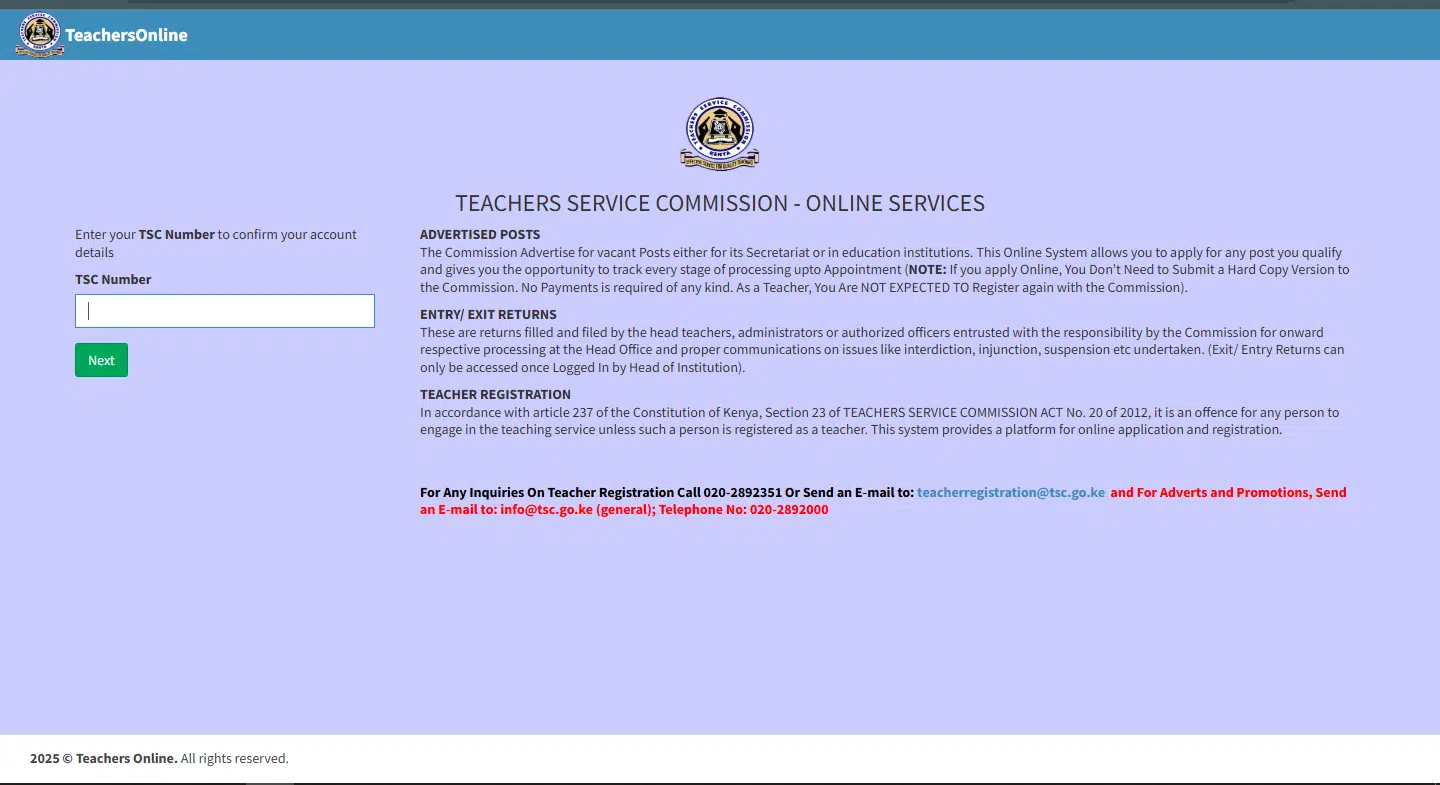
The wealth declaration process is handled through the main TSC online system, specifically the Teachers Online portal.
Official Access Points
- Via TSC Website: Go to the official TSC website (
www.tsc.go.ke), navigate to the ‘Online Services’ menu, and select ‘Teachers Online’. - Direct Link: You can also directly type the Teachers Online system URL (often
www.teachersonline.go.ke) into your browser.
The Login Procedure
- Locate the Declaration Link: On the Teachers Online homepage, look for the “Declaration of Income, Assets and Liabilities” link (this link may be prominent during the declaration period).
- First-Time Users (Creating Password):
- Enter your TSC Number in the field provided and click ‘Next’.
- Provide a valid mobile number and email address (critical for password reset and submission confirmation).
- Set your preferred password and confirm it. Click ‘Next’.
- Returning Users (Logging In):
- Enter your TSC Number.
- Enter your established Password.
- Click the ‘Log In’ button.
- Access the Declaration Menu: Once logged in, select the ‘Wealth Declaration’ menu to begin the submission process.
3. The Wealth Declaration Process: Data Capture
The process involves filling out detailed forms across several sections. It is crucial to have all financial and asset documents organized before you begin.
A. General Information and Bio Data
- Select the type of declaration:
- Bi-Annual: For declarations done every two years (the most common type).
- Starting Declaration: For newly employed staff.
- Exit Declaration: For employees leaving the TSC service.
- Fill in basic personal details.
B. Spouse(s) and Dependants
- Capture the details of your spouse(s) and dependent children under the age of 18.
- The system requires a separate statement of Income, Assets, and Liabilities for the officer, each spouse, and each dependent child under 18 years. If not applicable for a dependent, mark accordingly.
C. Income (Statement Period)
- Declare your total income, including emoluments (salary), investment income, business income, and any other sources, for the two years since the last declaration (or the period ending on the statement date).
D. Assets (As of the Statement Date)
- Disclose all assets owned by you and your dependents. This includes:
- Real Estate: Land, buildings (include location and approximate current value).
- Vehicles: Cars, trucks, motorcycles, etc.
- Financial Assets: Bank deposits, shares, bonds, unit trusts, and other investments.
- Valuable Possessions: Other significant valuable assets.
E. Liabilities (As of the Statement Date)
- Disclose all outstanding debts, including:
- Loans (Sacco, bank, microfinance).
- Mortgages.
- Outstanding Hire Purchase agreements.
- Any other financial obligations owed.
F. Witness Details and Submission
- Enter the details of your Witness. The witness must be someone who can attest to the information declared.
- Click ‘View Summary’ to review the entire declaration for accuracy.
- Once satisfied, click the ‘Submit’ button to finalize. A copy of the submitted declaration will be sent to the email address provided in the login setup.

4. Penalties for Non-Compliance and False Statements
Compliance with the deadline and accuracy in reporting are critical. Failure to adhere to the requirements of the Public Officer Ethics Act carries severe legal and administrative consequences:
- Financial Penalty: Any public officer who fails to declare or makes a false statement is liable to a fine of KSh. 1,000,000/-.
- Imprisonment: Non-compliant officers can face imprisonment for one year or both the fine and imprisonment.
- Disciplinary Action: The TSC may initiate disciplinary action, which could include the suspension or termination of employment or the withholding of salary increments.
5. Essential Tips for a Smooth Declaration
- Organize Documents: Have bank statements, loan agreements, title deeds, logbooks, and investment statements ready.
- Use the Right Period: Ensure your income and asset declarations cover the correct bi-annual period specified by the TSC.
- Reset Password: If you forget your password, use the ‘Forgot Password’ link on the login page. You will need your TSC number and the registered mobile number for verification.
The TSC Wealth Declaration Portal is an essential tool for maintaining integrity within the teaching profession. Compliance protects the teacher from legal and disciplinary action while reinforcing the public’s trust in the education sector.